Why Magento to Shopify Migrations Lose Traffic (and How to Find Hidden 404s)
TL;DR — Quick Answer
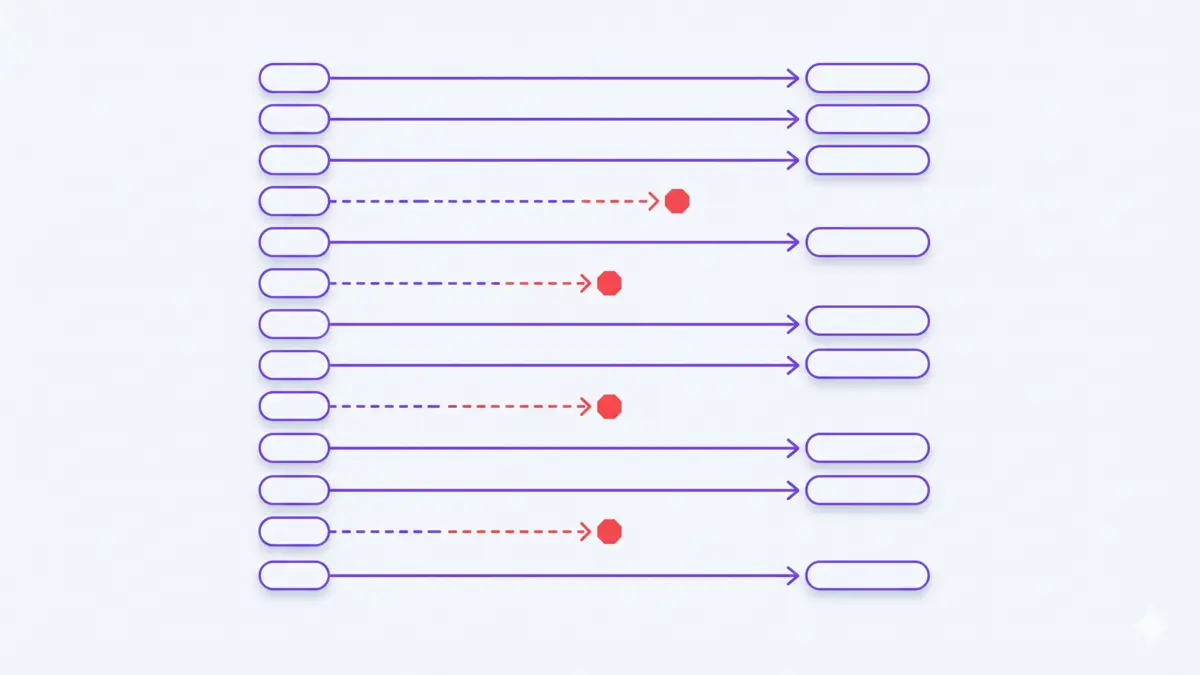
A traffic drop lasting more than a few weeks after a Magento-to-Shopify migration is not normal — it means link equity from your old URLs isn't transferring. The usual causes: broken 301 redirects, old product URLs now returning 404, and soft 404s that dump visitors on the homepage. Find every dead old URL and redirect each to its exact match.
A Drop That Lasts Months Is Not "Settling In"
It's normal to expect a short, temporary dip after replatforming while Google recrawls your store. But a decline that persists for three months or more — especially when it's concentrated in a single country like the UK — is not the algorithm "settling in." It's a technical failure to pass the authority your old Magento URLs built up over years to their new Shopify equivalents.
Where Magento → Shopify Migrations Leak SEO
- Hard 404s on old URLs: Your old Magento product and category pages still have inbound links and rankings. If those exact URLs now return "404 Not Found" on Shopify, the SEO history attached to them is severed.
- Soft 404s (redirect to homepage): A bulk redirect that sends every old URL to your homepage looks tidy, but Google treats a redirect-to-homepage as a soft 404 and discards the original page's ranking signals.
- Broken or missing 301 redirects: Magento URL structures (such as
/catalog/product/view/id/...) rarely map cleanly onto Shopify's/products/handle, so default migration tools silently miss large batches of paths. - Country targeting lost in Shopify Markets: A UK-only drop usually points to international targeting rather than redirects alone — most often a missing
hreflang="en-gb"tag or the UK not being configured as a primary market.
How to Find and Fix Hidden 404s After Migration
Auditing thousands of legacy Magento URLs by hand is effectively impossible — which is exactly why these errors survive for months. Work through it systematically instead:
- Pull your old URL history: You can't redirect URLs you can't remember. Recover the full list of pages your Magento store had indexed — the Wayback Machine and old XML sitemaps are the fastest sources.
- Test each old URL on the live store: Check every recovered URL for its real HTTP status. Flag both hard 404s and soft 404s — anything that only returns 200 after bouncing the visitor to the homepage or a generic collection.
- Map each dead URL to its exact match: Add a 301 redirect from each old URL to the corresponding Shopify product or collection page — never the homepage. A redirect to the homepage passes almost no ranking signal.
- Fix UK targeting: In Settings > Markets, confirm the UK is set as a primary market and that your pages emit
hreflang="en-gb". Verify this in the rendered HTML, not just in the Shopify admin. - Resubmit and monitor: Submit your new sitemap in Google Search Console, then watch the Pages report for "Not found (404)" and "Page with redirect" trends over the following weeks.
Why Manual Auditing Fails Here
A mature Magento store can have thousands of indexed URLs. Advice like "just verify your old links redirect to the exact corresponding pages" is correct — but unactionable by hand at that scale. That gap is why migration traffic loss so often goes undiagnosed for an entire quarter.
The free SEO Scanner reconstructs your store's old URL history from the Wayback Machine and checks every address against your live Shopify store — flagging hard 404s, soft 404s, and redirect chains in a single pass. No store access or API keys required. Run a free scan to see exactly which old URLs are leaking traffic.
Frequently Asked Questions
Q: Is it normal to lose organic traffic after migrating to Shopify? A: A short dip of a few weeks can be normal while Google recrawls your store. A decline that lasts three months or more is not — it usually means your 301 redirects are broken or missing, so the old pages' ranking signals never pass to the new URLs.
Q: What is a soft 404 and why does it hurt migrations? A: A soft 404 is when an old URL redirects to the homepage or a generic page instead of returning the right content or an honest 404. Google treats it as a dead page and discards the original URL's ranking history, which is why redirecting everything to the homepage quietly destroys migration SEO.
Q: Why did only my UK traffic drop after the migration?
A: A country-specific drop usually points to international targeting rather than redirects alone. Check that the UK is set as a primary market in Shopify Markets and that your pages output the correct hreflang="en-gb" tag so Google keeps serving your UK pages.
Related guides
Check your store for free
Find dead URLs, redirect chains, and broken links left over from your migration — using Wayback Machine data. No store access required.
Start Free Scan →Published: July 2, 2026 · Back to Insights
Share